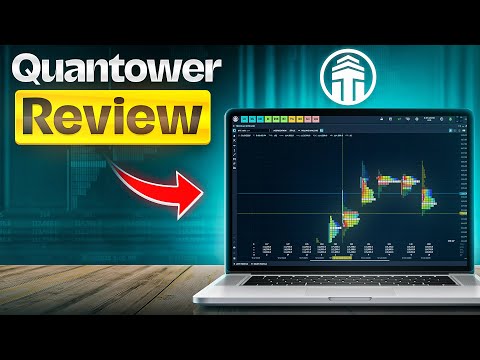
Quantower Review

Multi-Broker Trading Platform

Broker-neutral · 60+ connections

Free Base Version

Pro from ~$70/mo · free with AMP

Pro Order-Flow Tools

DOM · Footprint · Volume Profile

Futures · Stocks · Forex · Crypto

150+ indicators · C# custom

🖥️ Quantower at a Glance — Platform Profile & Stats

What is Quantower?

Type: trading software, not a broker
Founded: 2017 (Dnipro, Ukraine)
Focus: futures & order-flow trading
Assets: futures, stocks, forex, crypto
Custom: build indicators in C#
Why it matters: Quantower is a broker-neutral platform — you bring your own broker or exchange account and trade through Quantower’s interface.

How Quantower Works

Download the desktop app (Windows/macOS)
Connect one of 60+ brokers/exchanges
Trade futures, stocks, forex or crypto
Use the free tier or upgrade to Pro
Why it matters: Because it’s broker-neutral, you’re not tied to one broker — switch or run several connections from one platform.

What Users Say on Trustpilot

4.6 / 5
330+ reviews
Praised for order-flow tools & DOM
Responsive, helpful support
Modern, customisable interface
Why it matters: A strong 4.6 rating — reviewers consistently highlight the order-flow tooling and support quality.

Supported Assets

Futures — CME, EUREX & more
Stocks — via Interactive Brokers etc.
Forex — via ECN connections
Crypto — spot & derivatives
Options on supported markets

💲 Pricing & Plans

Free Version

Core charting & trading
Standard order types
Connect supported brokers
Great for getting started
Why it matters: The free tier is genuinely usable — many traders never need to pay.

Pro Subscriptions

From ~$70/month (tiers ~$50–$200)
Advanced order-flow & charting
Multi-monitor workspaces
Algo & custom-indicator tools

Free with AMP Futures

Full Quantower, every feature
Free to AMP clients via CQG
Normally ~$100/mo
Why it matters: Trading futures through AMP Futures unlocks the full platform at no extra cost — a popular route.

Who Pays for Pro?

Serious order-flow / futures traders
Multi-monitor day traders
Algo & custom-indicator users

⚖️ Top Quantower Alternatives

NinjaTrader ★★★★★

Popular futures platform
Free charting, paid live trading
Huge add-on ecosystem
Pick for: futures + community

Sierra Chart ★★★★½

Powerful, lightweight charts
Deep order-flow tools
Steeper learning curve
Pick for: pro order-flow

ATAS ★★★★½

Order-flow specialist
Footprint & cluster charts
Futures & crypto
Pick for: cluster analysis

TradingView ★★★★★

Browser-based, social
100,000+ indicators
Multi-asset
Pick for: ease & community

🛠️ Key Features

Depth of Market (DOM)

Full price-ladder order book
Pull/stack detection
One-click trading
Why it matters: The DOM and DOM Surface are core to spotting large players and liquidity — Quantower’s strongest area.

Order-Flow Suite

Footprint & cluster charts
Volume Profile
Time & Sales · Power Trades

Charting & Indicators

150+ technical indicators
Advanced drawing tools
Custom indicators in C#

Automation

Strategy automation
Backtesting
API for developers

🔌 Supported Brokers & Connections

Futures Brokers & Routing

AMP Futures, CQG, Rithmic
Tradovate & more
CME, EUREX & major exchanges
Why it matters: Rithmic and CQG routing make Quantower a serious futures platform — the same plumbing pro traders rely on.

Stocks & Forex

Interactive Brokers for equities
ECN forex connections
dxFeed market data

Crypto Exchanges

Binance & major exchanges
Spot & derivatives
Unified crypto + futures view
Why it matters: Few platforms let you watch futures, stocks and crypto side by side — Quantower does.

💻 Requirements & Who It’s For

Is Quantower Right for You?

Quantower is desktop software (Windows & macOS). You also need a funded account with a supported broker or exchange.
Best for: futures & order-flow traders
Day traders wanting DOM + footprint charts
Multi-asset traders (futures + stocks + crypto)
Developers building custom C# indicators
Less ideal for: casual buy-and-hold investors
Why it matters: Quantower is a power-user tool. Beginners may prefer a simpler browser platform like TradingView first.

🎥 Tutorial & Getting Started

Watch & Learn Before You Trade

Getting started with Quantower:
Download the free desktop app from quantower.com
Connect a supported broker (e.g. AMP Futures for free Pro)
Start with the free tier, upgrade if you need pro order-flow tools
Explore the official Quantower blog & YouTube for tutorials

Pros and Cons of Quantower

Pros
✓ Broker-neutral — 60+ connections
✓ Excellent order-flow tools (DOM, footprint)
✓ Free base version
✓ Free full version via AMP Futures
✓ Multi-asset: futures, stocks, forex, crypto
✓ 150+ indicators + custom C#
✓ 4.6/5 on Trustpilot (330+ reviews)
✓ Modern, customisable interface
Cons
✗ Not a broker — you need a broker account
✗ Pro tiers can reach ~$200/mo
✗ Steeper learning curve for beginners
✗ Desktop only (no full web version)
✗ Smaller community than MetaTrader
Note: Quantower is trading software, not a broker. It has no spreads, leverage or regulation of its own — those come from the broker you connect it to.

Quantower Pricing & Plans

Quantower uses a freemium model. The free version is fully usable, and Pro tiers unlock advanced order-flow and automation tools.

PlanPriceBest for
Free$0Getting startedGet Quantower
Pro~$50–$200/moSerious order-flow tradersGet Quantower
Via AMP FuturesFreeFutures traders (CQG)Get Quantower

The smartest route for many futures traders: open an AMP Futures account and get the full Quantower platform free via CQG.

Quantower vs NinjaTrader vs Sierra Chart

How does Quantower compare with two leading order-flow platforms?

FeatureQuantowerNinjaTraderSierra Chart
TypeSoftwareSoftwareSoftware
Free tierYesCharting onlyNo (trial)
Order flowExcellentGood (add-ons)Excellent
AssetsFutures·Stocks·FX·CryptoFutures·FXFutures·Stocks
Custom codeC#C# (NinjaScript)ACSIL/C++
Trustpilot4.6/5

Verdict: Quantower stands out for its modern UI, broad multi-asset support and a genuinely useful free tier. Sierra Chart matches its order-flow depth but is harder to learn; NinjaTrader has a bigger community. For most order-flow traders, Quantower is the easiest powerful starting point.

Why Choose Quantower as Your Trading Platform?

★ Trustpilot 4.6 · multi-broker
Free version · Pro from ~$70/mo
Get Quantower →
Quantower
Multi-broker trading platform
★ 4.6 / 5 · 330+ reviews
60+ connections · free tier
Full version free via AMP Futures
Get Quantower →

Quantower is a modern, broker-neutral trading platform (founded 2017) built for futures and order-flow traders. Rather than being a broker itself, it connects to 60+ brokers, exchanges and data feeds — including AMP Futures, CQG, Rithmic, Interactive Brokers and Binance — so you can trade futures, stocks, forex and crypto from one customisable interface.

What stands out: outstanding order-flow tooling (DOM, footprint and volume-profile charts, Time & Sales, Power Trades), 150+ indicators with custom C# development, a genuinely usable free tier, and a strong 4.6/5 Trustpilot score. Trade futures through AMP Futures and you get the full Pro platform free.

What to weigh: Quantower is software, not a broker — it has no spreads, leverage or regulation of its own; those come from your connected broker. It’s a power-user tool with a learning curve, Pro tiers can reach ~$200/month, and it’s desktop-only.

Bottom line: for serious futures and order-flow traders who want a modern, multi-asset platform with deep DOM and footprint tools, Quantower is one of the best options available — and the free tier (or free-via-AMP route) makes it easy to try.

Frequently Asked Questions

Key questions about Quantower — what it is, pricing, supported brokers, features and how to get started.

No. Quantower is a trading platform (software), not a broker. You connect it to your own broker or exchange account to trade — it has no spreads, leverage or regulation of its own.
Yes, there is a fully usable free version. Pro subscriptions (roughly $50–$200/month) unlock advanced order-flow and automation tools, and the full platform is free for AMP Futures clients via CQG.
Futures, stocks, forex and crypto, depending on the brokers and exchanges you connect — including options on supported markets.
60+ connections including AMP Futures, CQG, Rithmic, Tradovate, Interactive Brokers, Binance and dxFeed, plus many more.
Its advanced order-flow tools — Depth of Market (DOM), footprint and volume-profile charts, Time & Sales and Power Trades — aimed at futures day traders.
Yes. Quantower lets you create custom indicators and strategies using the C# programming language, plus backtesting and automation.
Yes. Quantower is desktop software available for both Windows and macOS.
Pro tiers range from roughly $50 to $200 per month depending on features. It is often free through brokers such as AMP Futures.
Quantower is a powerful tool with a learning curve. Beginners can start on the free tier, but those wanting something simpler may prefer a browser platform like TradingView first.
Download the free app from quantower.com, connect a supported broker (AMP Futures unlocks the full platform free), and start on the free tier before upgrading if needed.
PHP Code Snippets Powered By : XYZScripts.com