Trading forex & CFDs is high risk and can result in the loss of all your capital. Only trade with money you can afford to lose. Not investment advice.

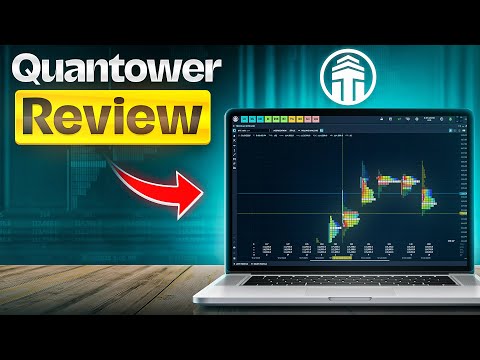
Quantower Review

Multi-Broker Trading Platform

Broker-neutral · 60+ connections

Free Base Version

Pro from ~$70/mo · free with AMP

Pro Order-Flow Tools

DOM · Footprint · Volume Profile

Futures · Stocks · Forex · Crypto

150+ indicators · C# custom

Quantower at a Glance — Platform Profile & Stats

What is Quantower?

Type: trading software, not a broker
Founded: 2017 (Dnipro, Ukraine)
Focus: futures & order-flow trading
Assets: futures, stocks, forex, crypto
Custom: build indicators in C#
Why it matters: Quantower is a broker-neutral platform — you bring your own broker or exchange account and trade through Quantower’s interface.

How Quantower Works

Download the desktop app (Windows/macOS)
Connect one of 60+ brokers/exchanges
Trade futures, stocks, forex or crypto
Use the free tier or upgrade to Pro
Why it matters: Because it’s broker-neutral, you’re not tied to one broker — switch or run several connections from one platform.

What Users Say on Trustpilot

4.6 / 5
330+ reviews
Praised for order-flow tools & DOM
Responsive, helpful support
Modern, customisable interface
Why it matters: A strong 4.6 rating — reviewers consistently highlight the order-flow tooling and support quality.

Supported Assets

Futures — CME, EUREX & more
Stocks — via Interactive Brokers etc.
Forex — via ECN connections
Crypto — spot & derivatives
Options on supported markets

Pricing & Plans

Free Version

Core charting & trading
Standard order types
Connect supported brokers
Great for getting started
Why it matters: The free tier is genuinely usable — many traders never need to pay.

Pro Subscriptions

$70/month all-in-one licence — $189/3mo, $336/6mo, $588/year (30% off), $1,690 lifetime
Single feature packages from $20/month on top of the free version
Read from quantower.com/pricing, 17 September 2026
Advanced order-flow & charting
Multi-monitor workspaces
Algo & custom-indicator tools

Free with AMP Futures

Full Quantower, every feature
Free to AMP clients via CQG
Normally $70/month
Why it matters: Trading futures through AMP Futures unlocks the full platform at no extra cost — a popular route.

Who Pays for Pro?

Serious order-flow / futures traders
Multi-monitor day traders
Algo & custom-indicator users

Top Quantower Alternatives

NinjaTrader

Popular futures platform
Free charting, paid live trading
Huge add-on ecosystem
Pick for: futures + community

Sierra Chart

Powerful, lightweight charts
Deep order-flow tools
Steeper learning curve
Pick for: pro order-flow

ATAS

Order-flow specialist
Footprint & cluster charts
Futures & crypto
Pick for: cluster analysis

TradingView

Browser-based, social
100,000+ indicators
Multi-asset
Pick for: ease & community

Key Features

Depth of Market (DOM)

Full price-ladder order book
Pull/stack detection
One-click trading
Why it matters: The DOM and DOM Surface are core to spotting large players and liquidity — Quantower’s strongest area.

Order-Flow Suite

Footprint & cluster charts
Volume Profile
Time & Sales · Power Trades

Charting & Indicators

150+ technical indicators
Advanced drawing tools
Custom indicators in C#

Automation

Strategy automation
Backtesting
API for developers

Supported Brokers & Connections

Futures Brokers & Routing

AMP Futures, CQG, Rithmic
Tradovate & more
CME, EUREX & major exchanges
Why it matters: Rithmic and CQG routing make Quantower a serious futures platform — the same plumbing pro traders rely on.

Stocks & Forex

Interactive Brokers for equities
ECN forex connections
dxFeed market data

Crypto Exchanges

Binance & major exchanges
Spot & derivatives
Unified crypto + futures view
Why it matters: Few platforms let you watch futures, stocks and crypto side by side — Quantower does.

Requirements & Who It’s For

Is Quantower Right for You?

Quantower is desktop software (Windows & macOS). You also need a funded account with a supported broker or exchange.
Best for: futures & order-flow traders
Day traders wanting DOM + footprint charts
Multi-asset traders (futures + stocks + crypto)
Developers building custom C# indicators
Less ideal for: casual buy-and-hold investors
Why it matters: Quantower is a power-user tool. Beginners may prefer a simpler browser platform like TradingView first.

Tutorial & Getting Started

Watch & Learn Before You Trade

Getting started with Quantower:
Download the free desktop app from quantower.com
Connect a supported broker (e.g. AMP Futures for free Pro)
Start with the free tier, upgrade if you need pro order-flow tools
Explore the official Quantower blog & YouTube for tutorials

Pros and Cons of Quantower

Pros
✓ Broker-neutral — 60+ connections
✓ Excellent order-flow tools (DOM, footprint)
✓ Free base version
✓ Free full version via AMP Futures
✓ Multi-asset: futures, stocks, forex, crypto
✓ 150+ indicators + custom C#
✓ 4.6/5 on Trustpilot (330+ reviews)
✓ Modern, customisable interface
Cons
✗ Not a broker — you need a broker account
✗ Full platform costs $70/mo unless your broker covers it
✗ Steeper learning curve for beginners
✗ Desktop only (no full web version)
✗ Smaller community than MetaTrader
Note: Quantower is trading software, not a broker. It has no spreads, leverage or regulation of its own — those come from the broker you connect it to.

Quantower Pricing & Plans

Quantower uses a freemium model. The free version is fully usable, and Pro tiers unlock advanced order-flow and automation tools.

PlanPriceBest for
Free$0Getting startedGet Quantower
All-in-One$70/mo · $588/yr · $1,690 lifetimeEvery feature and connection unlockedGet Quantower
Via AMP FuturesFreeFutures traders (CQG)Get Quantower

The smartest route for many futures traders: open an AMP Futures account and get the full Quantower platform free via CQG.

Quantower vs NinjaTrader vs Sierra Chart

How does Quantower compare with two leading order-flow platforms?

FeatureQuantowerNinjaTraderSierra Chart
TypeSoftwareSoftwareSoftware
Free tierYesCharting onlyNo (trial)
Order flowExcellentGood (add-ons)Excellent
AssetsFutures·Stocks·FX·CryptoFutures·FXFutures·Stocks
Custom codeC#C# (NinjaScript)ACSIL/C++
Trustpilot4.6/5

Verdict: Quantower stands out for its modern UI, broad multi-asset support and a genuinely useful free tier. Sierra Chart matches its order-flow depth but is harder to learn; NinjaTrader has a bigger community. For most order-flow traders, Quantower is the easiest powerful starting point.

Compare further: Bookmap review · TradingLite review · Jigsaw Trading review

Futures traders can also compare Funded Futures Network, a prop firm that runs on the Quantower ecosystem.

Why Choose Quantower as Your Trading Platform?

★ Check Trustpilot for current rating
Free version · Pro from ~$70/mo
Get Quantower →
Quantower
Multi-broker trading platform
★ 4.6 / 5 · 330+ reviews
60+ connections · free tier
Full version free via AMP Futures
Get Quantower →

Quantower is a modern, broker-neutral trading platform (founded 2017) built for futures and order-flow traders. Rather than being a broker itself, it connects to 60+ brokers, exchanges and data feeds — including AMP Futures, CQG, Rithmic, Interactive Brokers and Binance — so you can trade futures, stocks, forex and crypto from one customisable interface.

What stands out: outstanding order-flow tooling (DOM, footprint and volume-profile charts, Time & Sales, Power Trades), 150+ indicators with custom C# development, a genuinely usable free tier, and a strong 4.6/5 Trustpilot score. Trade futures through AMP Futures and you get the full Pro platform free.

What to weigh: Quantower is software, not a broker — it has no spreads, leverage or regulation of its own; those come from your connected broker. It’s a power-user tool with a learning curve, the all-in-one licence is $70 a month, and it’s desktop-only.

Bottom line: for serious futures and order-flow traders who want a modern, multi-asset platform with deep DOM and footprint tools, Quantower is one of the best options available — and the free tier (or free-via-AMP route) makes it easy to try.

Frequently Asked Questions

Key questions about Quantower — what it is, pricing, supported brokers, features and how to get started.

No. Quantower is a trading platform (software), not a broker. You connect it to your own broker or exchange account to trade — it has no spreads, leverage or regulation of its own.
Yes, and it is not time-limited — but it is limited in features, and Quantower publishes exactly how. Its own licence comparison states that the free version allows one broker, data-feed or exchange connection at a time (no simultaneous connections), a maximum of two indicators per chart and one chart overlay. It excludes the order-flow tools the platform is best known for: no cluster (footprint) chart, no footprint imbalances, no volume profiles, no VWAP or anchored VWAP, no dynamic VPOC, no time statistics or time histogram. It also excludes Renko, Kagi, Point & Figure, Heikin-Ashi, range and volume bars, the trading simulator, market replay, the screener, RTD Excel, synthetic symbols, multiple order entry, order-placing strategies and local stop-loss/take-profit, and it caps Option Analytics at 4 strikes. What the free version does include: chart trading, tick and time-based charts, standard and custom timeframes, drawing tools and technical indicators, chart alerts, the DOM Trader panel, Time & Sales, the stat matrix, the market heatmap, the backup manager, the strategy runner, copy trading (beta) and the free C# API for building custom indicators and strategies. The All-in-One licence at $70 a month removes every one of those limits, and the full platform is free to AMP Futures clients via CQG. Read from Quantower's published licence comparison on 17 September 2026.
Futures, stocks, forex and crypto, depending on the brokers and exchanges you connect — including options on supported markets.
60+ connections including AMP Futures, CQG, Rithmic, Tradovate, Interactive Brokers, Binance and dxFeed, plus many more.
Its advanced order-flow tools — Depth of Market (DOM), footprint and volume-profile charts, Time & Sales and Power Trades — aimed at futures day traders.
Yes. Quantower lets you create custom indicators and strategies using the C# programming language, plus backtesting and automation.
Yes. Quantower is desktop software available for both Windows and macOS.
There are no price tiers. Quantower sells a single All-in-One licence at $70 a month, or $189 for 3 months (10% off), $336 for 6 months (20% off), $588 for a year (30% off, about $49 a month) and $1,690 for a lifetime licence. Individual feature packages are cheaper and sit on top of the free version: TPO Chart $20/mo, Power Trades $25/mo, DOM Surface $30/mo, Advanced Features $30/mo, Volume Analysis $35/mo, Crypto $40/mo, Multi-Asset $50/mo and Option Trading $50/mo. Quantower also offers a 7-day full-featured trial and a 10-day money-back guarantee, and third-party market data is charged separately. The full platform is free to AMP Futures clients via CQG. Prices read from quantower.com/pricing on 17 September 2026.
Quantower is a powerful tool with a learning curve. Beginners can start on the free tier, but those wanting something simpler may prefer a browser platform like TradingView first.
Download the free app from quantower.com, connect a supported broker (AMP Futures unlocks the full platform free), and start on the free tier before upgrading if needed.
🔗 Affiliate Disclosure

This site contains affiliate links. We may earn a commission when you sign up through them, at no extra cost to you. Trading is high risk — most retail traders lose money. Nothing here is investment advice.